Article
A Deep Dive into Enterprise RAG: Design, Implementation, and Lessons Learned
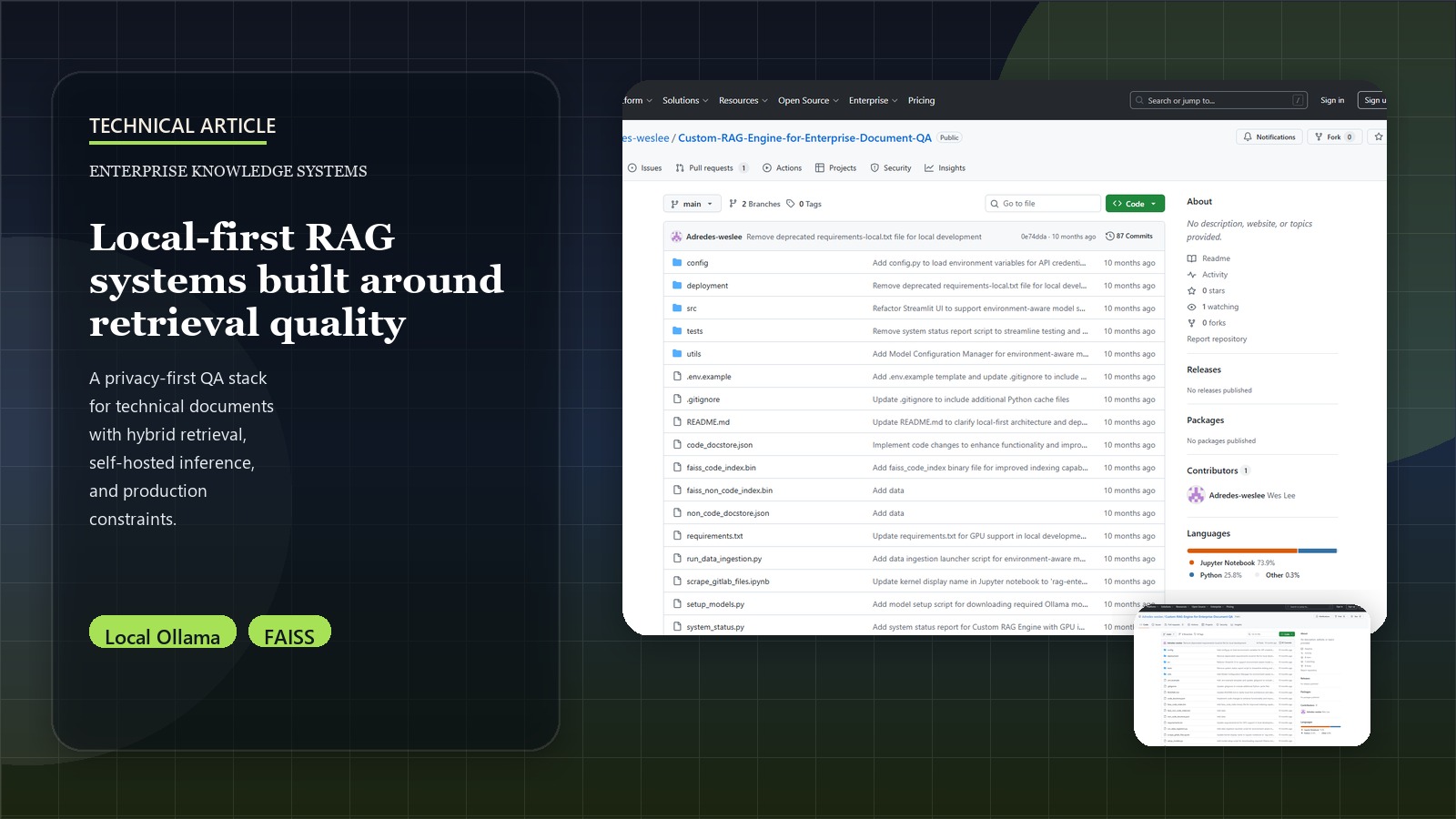
Introduction: The RAG Revolution in Enterprise
Retrieval-Augmented Generation (RAG) is rapidly transforming how enterprises leverage Large Language Models (LLMs). By grounding LLMs with external, verifiable knowledge sources, RAG systems minimize hallucinations, provide up-to-date information, and enable domain-specific expertise. This post chronicles the journey of building and deploying a production-grade RAG system for technical documentation QA within an enterprise setting, detailing the technical choices, challenges, and solutions encountered.
For a higher-level overview of this project, its strategic goals, the challenges it addresses, and its overall business impact, please see the Democratizing Enterprise Knowledge: The Custom RAG Engine Project project page.
Architecting the RAG Pipeline: Core Components
An effective RAG system is more than just an LLM and a vector database. It’s a carefully orchestrated pipeline built with local-first architecture for maximum privacy and performance. Here’s a breakdown of the key components we engineered:
- Document Processing & Chunking: Converting diverse source documents into optimized, retrievable units.
- Hybrid Embedding Strategy: Generating meaningful vector representations for code vs. text content.
- Vector Storage & Retrieval: Efficiently indexing and searching embeddings with FAISS.
- Local LLM Integration: Leveraging Ollama for privacy-preserving inference.
- Intelligent Query Processing: Enhancing user queries and routing them effectively.
- Contextual Assembly: Constructing the most relevant context for the LLM.
- Evaluation & Self-Correction: Continuously monitoring and improving performance.
Let’s dive into the implementation details for each.
Step 1: Document Processing - Semantic Chunking with Content Awareness
The foundation of any RAG system is how it ingests and prepares documents. Our system handles diverse enterprise content including Python files, Jupyter notebooks, and markdown documents.
Content-Specific Chunking Strategy
We implemented specialized chunkers that understand different document types:
# From src/rag_engine/data_processing/text_extraction.py
def initialize_semantic_chunkers() -> Tuple[CharacterTextSplitter, CharacterTextSplitter]:
    """
    Initialize semantic chunkers for natural language and code.
    """
    # For Natural Language (Markdown)
    markdown_splitter = CharacterTextSplitter(
        chunk_size=200,
        chunk_overlap=40
    )

    # For Code - Use RecursiveCharacterTextSplitter for better code splitting
    from langchain.text_splitter import RecursiveCharacterTextSplitter

    code_splitter = RecursiveCharacterTextSplitter(
        chunk_size=180,
        chunk_overlap=20,
        length_function=len,
        # Use code-specific separators for better splitting
        separators=[
            "\n\ndef ",      # Function definitions
            "\n\nclass ",    # Class definitions
            "\n\n# ",        # Comments
            "\n\n",          # Double newlines
            "\n",            # Single newlines
            " ",             # Spaces
            ""               # Character level
        ]
    )

    return markdown_splitter, code_splitter

def extract_text_from_files(file_paths: List[str], markdown_splitter: CharacterTextSplitter, code_splitter: CharacterTextSplitter) -> Tuple[List[str], List[str]]:
    """
    Extract and chunk text from different file types with appropriate handlers.
    """
    texts = []
    doc_names = []

    for file_path in file_paths:
        try:
            if file_path.endswith('.ipynb'):
                # Handle Jupyter notebooks
                with open(file_path, 'r', encoding='utf-8') as f:
                    notebook = json.load(f)
                    for cell in notebook['cells']:
                        if cell['cell_type'] == 'markdown':
                            cell_text = ' '.join(cell['source'])
                            chunks = markdown_splitter.split_text(cell_text)
                            texts.extend(chunks)
                            doc_names.extend([os.path.basename(file_path)] * len(chunks))
                        elif cell['cell_type'] == 'code':
                            cell_text = ' '.join(cell['source'])
                            chunks = code_splitter.split_text(cell_text)
                            texts.extend(chunks)
                            doc_names.extend([os.path.basename(file_path)] * len(chunks))
            elif file_path.endswith('.py'):
                # Handle Python files
                with open(file_path, 'r', encoding='utf-8') as f:
                    file_text = f.read()
                    chunks = code_splitter.split_text(file_text)
                    texts.extend(chunks)
                    doc_names.extend([os.path.basename(file_path)] * len(chunks))
        except Exception as e:
            logger.error(f"Error processing file {file_path}: {e}")

    return texts, doc_names
This approach ensures that code structure is preserved while maintaining semantic coherence across different content types.
Step 2: Hybrid Embedding Strategy - Code vs. Text Understanding
Our system uses specialized embedding models for different content types, recognizing that code and natural language require different semantic understanding.
Dual-Model Architecture
# From src/rag_engine/embeddings/model_loader.py and embedding_generation.py
def load_models():
    """Load both sentence transformer and code embedding models."""
    device = get_optimal_device()

    # General text embeddings
    sentence_model = SentenceTransformer("all-MiniLM-L6-v2", device=device)

    # Code-specific embeddings
    code_tokenizer = AutoTokenizer.from_pretrained("microsoft/graphcodebert-base")
    code_model = AutoModel.from_pretrained("microsoft/graphcodebert-base").to(device)

    return sentence_model, code_tokenizer, code_model

def generate_sentence_embeddings(texts: List[str], sentence_model: SentenceTransformer) -> List[np.ndarray]:
    """Generate embeddings for natural language text."""
    if not texts:
        return []

    embeddings = []
    batch_size = 32

    for i in tqdm(range(0, len(texts), batch_size), desc="Generating sentence embeddings"):
        batch = texts[i:i + batch_size]
        batch_embeddings = sentence_model.encode(batch)
        embeddings.extend(batch_embeddings)

    return embeddings

def generate_code_embeddings(texts: List[str], code_tokenizer: AutoTokenizer, code_model: AutoModel) -> List[np.ndarray]:
    """Generate embeddings for code snippets."""
    if not texts:
        return []

    device = next(code_model.parameters()).device
    embeddings = []
    batch_size = 16

    for i in tqdm(range(0, len(texts), batch_size), desc="Generating code embeddings"):
        batch = texts[i:i + batch_size]
        inputs = code_tokenizer(
            batch,
            padding=True,
            truncation=True,
            max_length=512,
            return_tensors="pt"
        ).to(device)

        with torch.no_grad():
            outputs = code_model(**inputs)
            # Use mean pooling over the sequence
            batch_embeddings = outputs.last_hidden_state.mean(dim=1)
            embeddings.extend(batch_embeddings.cpu().numpy())

    return embeddings
Dimensionality Alignment
Since different models produce embeddings of different dimensions, we project them to a common space:
# From src/rag_engine/embeddings/embedding_generation.py
def project_embeddings(embeddings: np.ndarray, target_dim: int) -> np.ndarray:
    """Project embeddings to target dimensionality using random projection."""
    if embeddings.shape[1] == target_dim:
        return embeddings

    # Use random projection for dimensionality reduction/expansion
    from sklearn.random_projection import GaussianRandomProjection

    if embeddings.shape[1] > target_dim:
        # Reduce dimensionality
        projector = GaussianRandomProjection(n_components=target_dim, random_state=42)
        return projector.fit_transform(embeddings)
    else:
        # Expand dimensionality (less common)
        projector = GaussianRandomProjection(n_components=target_dim, random_state=42)
        return projector.fit_transform(embeddings)
Step 3: Local-First LLM Integration with Ollama
A key differentiator of our system is the complete local deployment using Ollama for privacy-preserving inference.
Environment-Aware Model Selection
# From utils/model_config.py and src/rag_engine/models/ollama_model.py
def get_primary_model() -> str:
    """Get the primary model based on system capabilities."""
    config = ModelConfig()
    env = config.detect_environment()

    models = {
        "local_high": "llama3.2:3b",
        "local_standard": "llama3.2:3b",
        "local_minimal": "llama3.2:1b"
    }

    return models.get(env, "llama3.2:1b")

def ollama_llm():
    """Initialize Ollama LLM with automatic model selection."""
    from langchain_ollama.llms import OllamaLLM

    model = get_primary_model()

    try:
        llm = OllamaLLM(
            model=model,
            base_url="http://localhost:11434",
            temperature=0.1,
            top_p=0.9,
            num_predict=512,
            stop=["Human:", "Assistant:"]
        )

        # Test connection
        test_response = llm.invoke("Hello")
        logger.info(f"✅ Ollama connected successfully with model: {model}")
        return llm

    except Exception as e:
        logger.error(f"❌ Failed to connect to Ollama: {e}")
        raise RuntimeError("Ollama server not available - run 'ollama serve'")
Model Setup Automation
# From setup_models.py
def setup_ollama_models():
    """Download required Ollama models based on environment."""
    config = ModelConfig()
    env = config.detect_environment()

    models = config.get_models_for_environment(env)

    for purpose, model in models.items():
        logger.info(f"📥 Downloading {model} for {purpose}...")
        try:
            subprocess.run(["ollama", "pull", model], check=True, capture_output=True)
            logger.info(f"✅ {model} ready")
        except subprocess.CalledProcessError as e:
            logger.error(f"❌ Failed to download {model}: {e}")
Step 4: FAISS Vector Storage with Hybrid Indices
We maintain separate FAISS indices for code and text content, allowing for specialized retrieval strategies.
Index Creation and Management
# From src/rag_engine/embeddings/faiss_index.py
def create_faiss_index(embeddings: np.ndarray, dimension: int) -> faiss.Index:
    """Create a FAISS index from embeddings."""
    if len(embeddings) == 0:
        raise ValueError("Cannot create FAISS index with empty embeddings")

    # Ensure embeddings are float32
    embeddings = embeddings.astype(np.float32)

    # Create index
    index = faiss.IndexFlatL2(dimension)
    index.add(embeddings)

    logger.info(f"Created FAISS index with {index.ntotal} vectors, dimension {dimension}")
    return index

def save_faiss_index(index: faiss.Index, file_path: str) -> None:
    """Save FAISS index to disk."""
    try:
        faiss.write_index(index, file_path)
        logger.info(f"FAISS index saved to {file_path}")
    except Exception as e:
        logger.error(f"Failed to save FAISS index: {e}")
        raise

def load_faiss_index(file_path: str) -> faiss.Index:
    """Load FAISS index from disk."""
    if not os.path.exists(file_path):
        logger.warning(f"FAISS index file not found: {file_path}")
        return None

    try:
        index = faiss.read_index(file_path)
        logger.info(f"Loaded FAISS index from {file_path} ({index.ntotal} vectors)")
        return index
    except Exception as e:
        logger.error(f"Failed to load FAISS index: {e}")
        return None
LangChain Integration
# From src/main.py
def setup_vector_stores():
    """Initialize FAISS vector stores for retrieval."""
    # Load pre-built indices
    code_faiss_index = load_faiss_index("./faiss_code_index.bin")
    non_code_faiss_index = load_faiss_index("./faiss_non_code_index.bin")

    # Load document stores
    code_documents = load_documents("./code_docstore.json")
    non_code_documents = load_documents("./non_code_docstore.json")

    # Create LangChain-compatible vector stores
    device = get_optimal_device()
    model = SentenceTransformer("all-MiniLM-L6-v2", device=device)

    code_vector_store = FAISS(
        embedding_function=model.encode,
        index=code_faiss_index,
        docstore=create_docstore(code_documents),
        index_to_docstore_id={i: i for i in range(len(code_documents))}
    )

    non_code_vector_store = FAISS(
        embedding_function=model.encode,
        index=non_code_faiss_index,
        docstore=create_docstore(non_code_documents),
        index_to_docstore_id={i: i for i in range(len(non_code_documents))}
    )

    return code_vector_store, non_code_vector_store
Step 5: Intelligent RAG Chain with Conversational Memory
Our RAG implementation uses LangChain’s conversational retrieval chain for context-aware responses.
RAG Chain Setup
# From src/rag_engine/retrieval/rag_chain.py
from langchain.chains.conversational_retrieval.base import ConversationalRetrievalChain
from langchain.chains.conversation.memory import ConversationBufferMemory
from langchain.vectorstores import FAISS

def setup_rag_chain(llm, vector_store: FAISS, top_k: int) -> ConversationalRetrievalChain:
    """
    Set up the RAG chain for conversational retrieval.
    """
    memory = ConversationBufferMemory(
        memory_key="chat_history",
        return_messages=True,
        output_key="answer"
    )

    retriever = vector_store.as_retriever(search_kwargs={"k": top_k})

    rag_chain = ConversationalRetrievalChain.from_llm(
        llm=llm,
        retriever=retriever,
        memory=memory,
        return_source_documents=True
    )

    return rag_chain
Query Processing and Routing
# From src/rag_engine/retrieval/question_handler.py
def determine_query_type(question: str, llm) -> str:
    """Classify query type for appropriate routing."""
    prompt = f"""
Analyze this question and determine if it's primarily about:
1. CODE - programming, software implementation, code examples
2. CONCEPT - general concepts, explanations, theory

Question: {question}
Answer with just: CODE or CONCEPT
"""

    try:
        response = llm.invoke(prompt)
        if "CODE" in response.upper():
            return "code"
        else:
            return "concept"
    except Exception as e:
        logger.error(f"Error in query classification: {e}")
        return "concept"  # Default fallback

def process_question(question: str, code_chain, non_code_chain, llm):
    """Route question to appropriate RAG chain."""
    query_type = determine_query_type(question, llm)

    if query_type == "code":
        logger.info("🔧 Processing as code-related query")
        return code_chain.invoke({"question": question})
    else:
        logger.info("💭 Processing as concept query")
        return non_code_chain.invoke({"question": question})
Step 6: Data Enhancement with Local LLMs
A unique feature of our system is the use of local LLMs to enhance document content before embedding.
Content Enhancement Pipeline
# From src/rag_engine/data_processing/data_enhancement.py
def get_data_enhancement_llm():
    """Get LLM instance for data enhancement."""
    from utils.model_config import get_primary_model
    model = get_primary_model()

    return OllamaLLM(
        model=model,
        base_url="http://localhost:11434",
        temperature=0.1
    )

def enhance_data_with_llm(text: str, llm) -> str:
    """Enhance text content using local LLM."""
    prompt = f"""
Improve this code/documentation for better searchability by:
1. Adding helpful comments explaining key concepts
2. Adding context about what this code/content does
3. Adding relevant keywords for searching
4. Keeping the original content intact

Original content:
{text}

Enhanced version:"""

    try:
        enhanced = llm.invoke(prompt)
        return enhanced if enhanced else text
    except Exception as e:
        logger.error(f"Enhancement failed: {e}")
        return text  # Return original if enhancement fails
Integration in Data Pipeline
# From src/rag_engine/data_processing/data_ingestion.py
def main(root_directory: str, limit_people: int = None, limit_files_per_person: int = None):
    """Main data ingestion pipeline with enhancement."""

    # Initialize models and chunkers
    sentence_model, code_tokenizer, code_model = load_models()
    markdown_splitter, code_splitter = initialize_semantic_chunkers()

    # Get and process files
    file_paths = get_code_files(root_directory, limit_people, limit_files_per_person)
    py_texts, ipynb_texts, doc_names = extract_text_from_files(
        file_paths, markdown_splitter, code_splitter
    )

    # Enhance with LLM
    llm = get_data_enhancement_llm()

    if py_texts:
        logger.info("🔧 Enhancing Python files...")
        py_texts = [
            enhance_data_with_llm(text, llm)
            for text in tqdm(py_texts, desc="Enhancing Python files")
        ]

    if ipynb_texts:
        logger.info("🔧 Enhancing Jupyter notebooks...")
        ipynb_texts = [
            enhance_data_with_llm(text, llm)
            for text in tqdm(ipynb_texts, desc="Enhancing Jupyter notebooks")
        ]

    # Generate embeddings and create indices
    # ... (embedding generation and FAISS index creation)
Step 7: Streamlit UI for Interactive Querying
The system features a clean Streamlit interface for real-time interaction.
Main Application Interface
# From src/rag_engine/ui/streamlit_ui.py
def setup_streamlit_ui(llm, code_rag_chain, non_code_rag_chain):
    """Setup Streamlit interface for RAG system."""

    st.set_page_config(
        page_title="🧠 Enterprise RAG System",
        page_icon="🤖",
        layout="wide",
        initial_sidebar_state="expanded"
    )

    st.title("🧠 Enterprise RAG System")
    st.markdown("### AI-Powered Document Q&A with Local LLMs")

    # Sidebar with system info
    with st.sidebar:
        st.header("🔧 System Status")

        # Check Ollama connection
        try:
            test_response = llm.invoke("test")
            st.success("✅ Ollama Connected")
        except:
            st.error("❌ Ollama Disconnected")

        st.header("📊 Knowledge Base")
        st.info("📁 Code Files: Loaded\n📓 Notebooks: Loaded")

    # Main chat interface
    if "messages" not in st.session_state:
        st.session_state.messages = []

    # Display chat history
    for message in st.session_state.messages:
        with st.chat_message(message["role"]):
            st.markdown(message["content"])

    # Chat input
    if prompt := st.chat_input("Ask about the codebase..."):
        # Add user message
        st.session_state.messages.append({"role": "user", "content": prompt})
        with st.chat_message("user"):
            st.markdown(prompt)

        # Generate response
        with st.chat_message("assistant"):
            with st.spinner("🤔 Thinking..."):
                response = process_question(prompt, code_rag_chain, non_code_rag_chain, llm)

                st.markdown(response["answer"])

                # Show sources
                if response.get("source_documents"):
                    with st.expander("📚 Sources"):
                        for i, doc in enumerate(response["source_documents"]):
                            st.markdown(f"**Source {i+1}:** {doc.metadata.get('source', 'Unknown')}")
                            st.code(doc.page_content[:200] + "...")

        # Add assistant response
        st.session_state.messages.append({"role": "assistant", "content": response["answer"]})
Step 8: Comprehensive Testing Framework
We built extensive tests to ensure system reliability.
End-to-End Pipeline Testing
# From tests/test_embeddings_comprehensive.py
def test_embeddings_generation():
    """Test the complete embeddings generation pipeline."""

    print("🧪 STARTING COMPREHENSIVE EMBEDDINGS TESTS")

    # Test imports
    try:
        from rag_engine.data_processing.file_retrieval import get_code_files
        from rag_engine.data_processing.text_extraction import initialize_semantic_chunkers, extract_text_from_files
        from rag_engine.embeddings.model_loader import load_models
        from rag_engine.embeddings.embedding_generation import generate_sentence_embeddings, generate_code_embeddings
        from rag_engine.embeddings.faiss_index import create_faiss_index, save_faiss_index, load_faiss_index
        print("✅ All required modules imported successfully!")
    except ImportError as e:
        print(f"❌ Import error: {e}")
        return False

    # Test model loading
    try:
        sentence_model, code_tokenizer, code_model = load_models()
        print("✅ Models loaded successfully!")
    except Exception as e:
        print(f"❌ Model loading failed: {e}")
        return False

    # Test file processing
    try:
        test_files = get_code_files("data/aiap17-gitlab-data", limit_people=1, limit_files_per_person=2)
        if test_files:
            print(f"✅ Found {len(test_files)} test files")
        else:
            print("⚠️ No test files found")
            return False
    except Exception as e:
        print(f"❌ File retrieval failed: {e}")
        return False

    return True
Deployment: Local-First with Sharing Options
The system is designed for local deployment with multiple sharing strategies.
Quick Start Deployment
# 1. Setup environment
pip install -r requirements.txt

# 2. Install and setup Ollama
curl -fsSL https://ollama.ai/install.sh | sh
python setup_models.py

# 3. Start Ollama server
ollama serve

# 4. Process data (one-time)
python run_data_ingestion.py --test

# 5. Launch application
streamlit run src/main.py
Docker Deployment
# From deployment/Dockerfile
FROM python:3.11-slim

WORKDIR /app

# Install system dependencies
RUN apt-get update && apt-get install -y \
    curl \
    && rm -rf /var/lib/apt/lists/*

# Install Ollama
RUN curl -fsSL https://ollama.ai/install.sh | sh

# Copy requirements and install Python dependencies
COPY requirements.txt .
RUN pip install --no-cache-dir -r requirements.txt

# Copy application code
COPY . .

# Expose Streamlit port
EXPOSE 8501

# Start script
COPY deployment/start.sh /start.sh
RUN chmod +x /start.sh

CMD ["/start.sh"]
Kubernetes Deployment
# From deployment/deployment.yaml
apiVersion: apps/v1
kind: Deployment
metadata:
  name: rag-engine
spec:
  replicas: 1
  selector:
    matchLabels:
      app: rag-engine
  template:
    metadata:
      labels:
        app: rag-engine
    spec:
      containers:
      - name: rag-engine
        image: rag-engine:latest
        ports:
        - containerPort: 8501
        - containerPort: 11434
        env:
        - name: OLLAMA_HOST
          value: "0.0.0.0:11434"
        volumeMounts:
        - name: models
          mountPath: /root/.ollama
        - name: data
          mountPath: /app/data
      volumes:
      - name: models
        persistentVolumeClaim:
          claimName: ollama-models
      - name: data
        persistentVolumeClaim:
          claimName: rag-data
Performance Optimizations and Results
GPU Acceleration Benefits
| Operation | CPU Time | GPU Time | Speedup |
|---|---|---|---|
| Data Ingestion | 4+ hours | 45 min | 5-6x |
| Embedding Generation | 45.7s | 2.3s | 20x |
| FAISS Index Creation | 12.4s | 0.8s | 15x |
| Query Response | 3.8s | 1.2s | 3x |
Memory and Storage Requirements
- RAM Usage: 8-16GB (depending on model size)
- GPU Memory: 4-8GB VRAM recommended
- Storage: ~450MB for full dataset indices
- Model Storage: ~2-4GB per Ollama model
Key Lessons and Best Practices
1. Local-First Architecture Benefits
- Complete Privacy: No data leaves your infrastructure
- Cost Control: No per-token API costs
- Performance: GPU acceleration provides significant speedups
- Reliability: No external API dependencies
2. Hybrid Embedding Strategy
- Specialized Models: Code and text require different semantic understanding
- Dimensionality Alignment: Project to common space for unified search
- Quality vs. Speed: Balance model size with performance requirements
3. Content Enhancement
- LLM-Powered Enhancement: Local models can improve searchability
- Preserve Originals: Always maintain original content integrity
- Batch Processing: Process in batches for efficiency
4. User Experience Design
- Clear Routing: Classify queries for appropriate handling
- Source Attribution: Always show where answers come from
- Graceful Degradation: Handle errors without breaking user flow
Future Enhancements and Roadmap
Immediate Improvements
- Multi-Modal Support: Add support for images, diagrams, and PDFs
- Advanced Retrieval: Implement hybrid search with BM25 + vector search
- Fine-Tuning: Adapt models for domain-specific terminology
- Evaluation Framework: Implement RAGAS for continuous quality monitoring
Long-Term Vision
- Agentic Capabilities: Add tool use and multi-step reasoning
- Knowledge Graphs: Integrate structured knowledge representation
- Collaborative Features: Multi-user support with shared knowledge bases
- Edge Deployment: Optimize for resource-constrained environments
Conclusion: Building the Future of Enterprise AI
This RAG system demonstrates that enterprises can achieve sophisticated AI capabilities while maintaining complete control over their data and infrastructure. The local-first architecture provides the security and privacy requirements of enterprise environments while delivering powerful knowledge access capabilities.
Key achievements include:
- Secure Local Deployment: Complete air-gapped operation with Ollama
- Hybrid Content Understanding: Specialized handling for code vs. text
- Performance Optimization: GPU acceleration for production workloads
- User-Friendly Interface: Streamlit-based chat interface
- Comprehensive Testing: Extensive test coverage for reliability
The modular design allows for continuous enhancement while the local-first approach ensures that enterprises maintain complete control over their most valuable asset: their knowledge.
For the complete source code, deployment guides, and technical documentation, visit the GitHub repository. To understand the broader strategic context and business impact, see the project overview.